Resolution is the first thing viewers notice and the first thing that breaks a stream when it's wrong for their connection. This guide covers every common streaming resolution — from SD to 4K — what each is, the bitrate and bandwidth it needs, and how to pick the right ladder for your OTT platform.
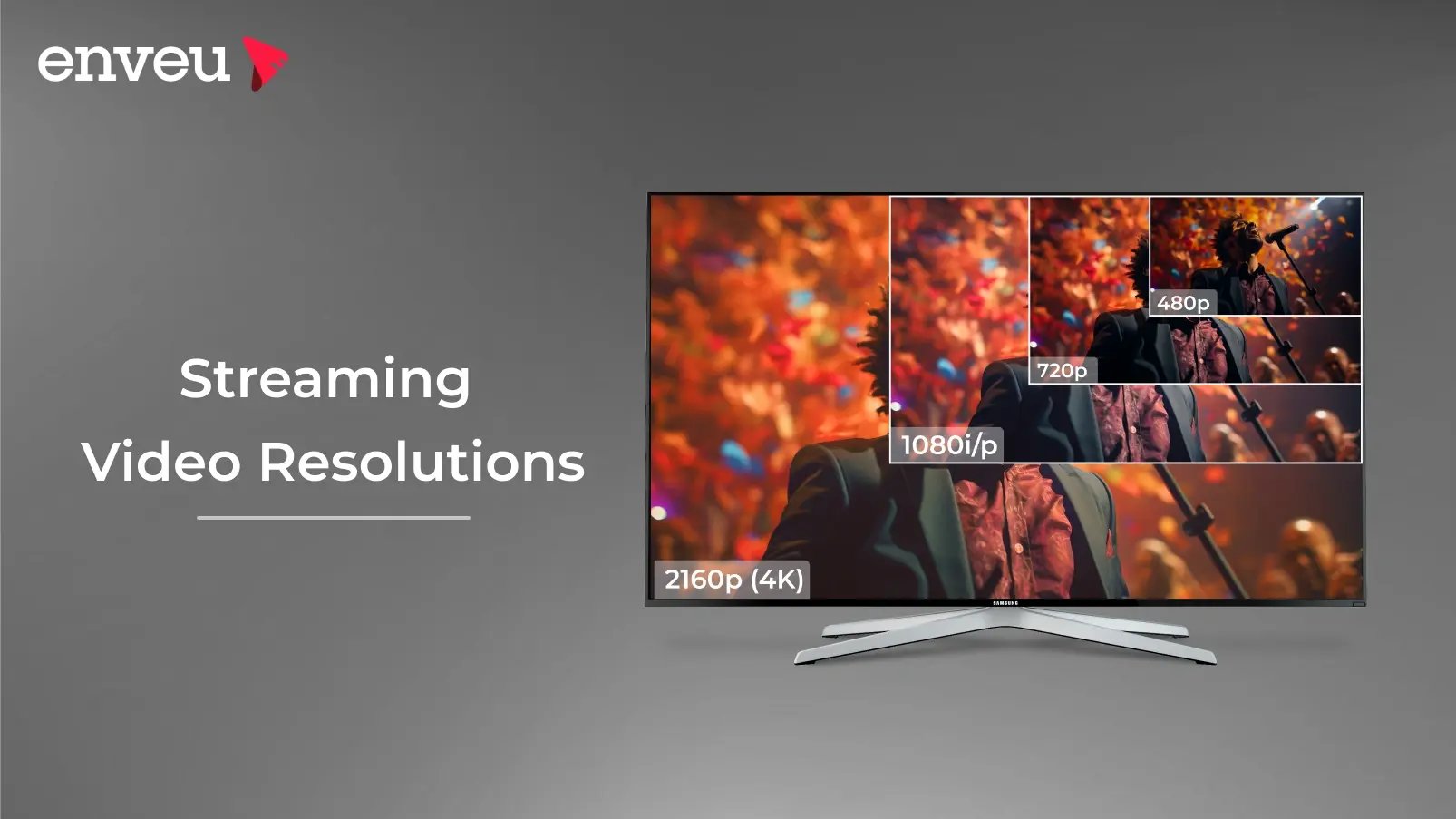
Streaming video resolution is the number of pixels in each frame — written as the vertical pixel count plus "p" (progressive), like 1080p. The common tiers are 480p (SD), 720p and 1080p (HD/Full HD), 1440p (QHD) and 2160p (4K/UHD). More pixels mean a sharper picture but more bitrate and bandwidth. For streaming you don't pick one — you encode a ladder of resolutions and let adaptive bitrate serve the best each viewer's connection can handle.
What is video streaming resolution?
Resolution is the pixel dimensions of the video frame — for example 1920×1080. It's usually shortened to the vertical number plus a letter: 1080p means 1080 vertical lines drawn progressively. More pixels pack in more detail, so the image looks sharper — but each extra pixel is more data to encode, store and deliver. That trade-off between quality and bandwidth is the whole game in streaming. The resolution you output is driven by your streaming encoder — here is how to choose the best one.
The streaming resolutions explained
| Resolution | Pixels | Name | Best for |
|---|---|---|---|
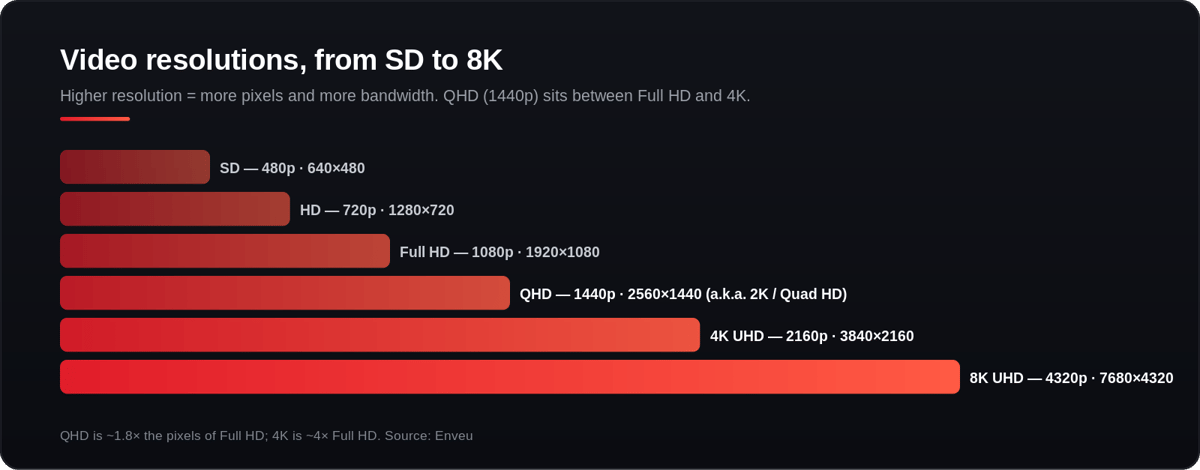
| 480p | 640×480 | SD (Standard Definition) | Low-bandwidth fallback |
| 720p | 1280×720 | HD (High Definition) | Solid mobile / limited upload |
| 1080p | 1920×1080 | FHD (Full HD) | The modern streaming baseline |
| 1440p | 2560×1440 | QHD (Quad HD) | Monitors, gaming, premium mid-tier |
| 2160p | 3840×2160 | 4K (Ultra HD) | Large TVs, premium content |
Each step roughly doubles the pixel count of the one below it — 1080p has about 2× the pixels of 720p, and 4K has about 4× the pixels of 1080p. For the close comparisons, see HD vs SD and QHD vs 4K.
What bitrate does each resolution need?
Resolution sets how much bitrate you need to deliver it cleanly. Rough streaming guidance:
| Resolution | Recommended video bitrate |
|---|---|
| 480p | 1,000–2,000 kbps |
| 720p | 2,500–4,000 kbps |
| 1080p | 3,000–6,000 kbps |
| 1440p | 6,000–13,000 kbps |
| 4K | 13,000–34,000 kbps (HEVC recommended) |
How resolution affects storage and bandwidth
Higher resolution means bigger files and heavier delivery. As a rough guide, an hour of 1080p is several times the size of an hour of 480p, and 4K several times larger again — which is why 4K leans on efficient codecs like HEVC/AV1. On the viewer side, the connection has to sustain the bitrate above: a viewer on a slow connection simply can't hold 4K, no matter how good their TV is. That's the core reason streaming serves multiple resolutions rather than one.
File size and bandwidth by resolution
Higher resolution means more data both to store and to deliver. Rough per-hour figures (they vary with codec and bitrate) show why 4K is so much heavier:
| Resolution | Approx. data per hour | Min. viewer bandwidth |
|---|---|---|
| 480p | ~0.5–0.9 GB | ~1.5 Mbps |
| 720p | ~1.5–2.5 GB | ~3 Mbps |
| 1080p | ~3–4.5 GB | ~5–6 Mbps |
| 4K | ~15–25 GB | ~25 Mbps |
Multiply those by your concurrent viewers and you can see why efficient codecs and adaptive delivery matter so much at scale.
Resolution vs aspect ratio
Resolution (pixel count) and aspect ratio (frame shape) are related but different. 1920×1080 and 3840×2160 are both 16:9 — same shape, different detail. Changing resolution keeps the shape; changing aspect ratio changes the frame itself.
What do 'p' and 'i' mean in resolution?
The letter is the scan type. p = progressive (every line drawn each frame — smooth, the modern standard); i = interlaced (alternating half-frames — a legacy broadcast technique that can show artifacts). For streaming, always prefer progressive. See progressive vs interlaced.
What about 8K?
8K (7680×4320) has four times the pixels of 4K, but for streaming it's still niche: very few people have 8K screens, the bandwidth and storage costs are huge, and on normal viewing distances the difference from 4K is hard to see. For almost every OTT service today, 4K is the practical ceiling and 8K is a future consideration, not a launch requirement.
Resolution and frame rate
Resolution isn't the whole story — frame rate (fps) matters too. 60fps looks smoother than 30fps for sports and fast motion, but it roughly doubles the bitrate needed at the same resolution. So "1080p60" is more demanding than "1080p30." Match both to your content: 30fps is fine for talking-head and cinematic video; 50/60fps earns its cost on sports and gaming.
What is adaptive bitrate streaming (ABR)?
Adaptive bitrate streaming is why you don't have to pick a single resolution. The platform encodes a ladder — say 480p, 720p, 1080p and 4K — and packages each as short segments. The player continuously measures the viewer's bandwidth and switches up or down between segments, so a fast connection gets 4K while a slow one drops to 480p instead of buffering. It's the backbone of modern OTT delivery.
What resolution is best for your OTT platform?
The answer is: several. A sensible ABR ladder for most services is 480p → 720p → 1080p, adding 1440p/4K if you carry premium content and your audience has the bandwidth and screens for it. Don't ship 4K-only — you'll lose viewers on weaker connections. Offer the range and let the player choose.
Best resolution for live vs on-demand
For live streaming, favour stability: a reliable 1080p (or even 720p) usually beats a stuttering 4K, because you can't re-buffer a live moment. For on-demand, you have more room to offer higher tiers up to 4K, since the player can pre-buffer and the content is encoded once and reused. Either way, an adaptive ladder covers both — the difference is just how high you push the top rung.
Deliver the right resolution ladder from day one
Building an ABR ladder means encoding every tier, packaging it (HLS/DASH) and switching seamlessly — work a platform should do for you. Enveu's Content Manager transcodes your content into an adaptive-bitrate ladder from SD up to 4K and delivers it over an integrated CDN across web, mobile and TV, so every viewer gets the best quality their connection allows. It's part of Experience Cloud.