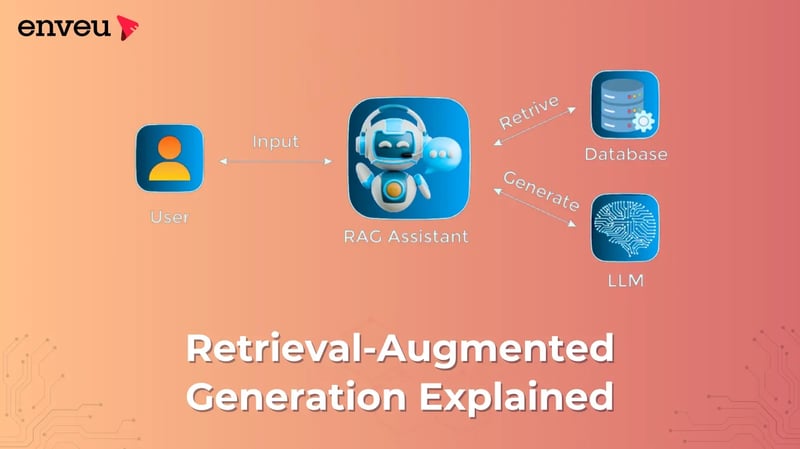
Let’s explore one of the most famous LLM patterns: RAG. The acronym refers to Retrieval-Augmented Generation.
Before getting started, please take a quick detour: what’s the difference between search and retrieval? For grasping RAG, it's important.
- Search is searching, in other words for something among many candidates. Press Ctrl+F to search a long document.
- Retrieval is pulling out items from a collection. You get a row in a database. Retrieval typically includes search: you locate what you want, then you extract it to use it.
So those who use RAG, refer to search + fetch relevant items and employ them to get a better generation.
The chronic problem with LLMs
LLMs do one thing very well: predict the next token given the current tokens. How? It trains by consuming a large amount of text and acquiring statistical regularities in training. However, what if the model sees inputs outside the training experience? Humans can say “I don’t know” but models have none (ML systems do not naturally have an idea of knowing that they don’t know), so they try to predict the next token as best they can. That’s where hallucinations occur, the model generates fluent, confident but factually incorrect text. It’s not deliberately lying; it’s just performing next-token prediction without enough grounding.
Simple idea to fix it
LLMs don’t know everything. Lacking or stale knowledge is a big problem for a factual task. The obvious fix is to teach the model your facts. As an example, to respond to questions like “Who is the tallest guy on our team?”, you might modify the LLM with your team’s height data.
Two problems:
- A small dataset can hardly steer a huge model.
- High-quality fine-tuning is still non-trivial and expensive, notably if your facts change frequently, even with modern techniques (LoRA/QLoRA, PEFT).
A clever way is to keep the base LLM as is at query time, then fetch relevant facts and feed them into the prompt.
Retrieve -> Augment -> Generate
How RAG Works (Steps)
If you want to read more about how RAG works (Step by Step), look at the diagram by AWS for RAG:
At a high level:
- User asks a question. For example, if user question, the system receives the user question with an instruction-style prompt (eg: Answer the question below).
- Get relevant data (documents, snippets, database rows) that probably include the answer. This would augment your original prompt with those retrieved passages.
- Create response with the LLM (which conditions on the augmented prompt). Include the answer (if necessary in citation format)
This flow depends on two abilities: neural retrieval and instruction-following generation.
Neural Retrieval (a short walk-through)
The majority of systems for RAG rely on neural retrieval, focusing on semantic similarity between the user question and candidate passages. How it works:
- Use an embedding model to embed each document/passage into a vector. Nearby vectors are associated with semantically similar texts.
- Store these vectors in a vector database (designed for speedy nearest-neighbor search).
- At query time you can embed the question of the user and find the closest vectors in the DB.
- Use the attached passages to feed the prompt.
So, we value the term “retrieval” over “search”. Not only does it seek matching strings, but it also extracts semantically meaningful chunks for the LLM to access downstream.
When Should You Use RAG?
RAG is so useful for a good cause because: it’s relatively easy to deploy (and effective to do): Inhibiting hallucinations (response depends on retrieved text). Missing knowledge should be added to the database without the base model needing to be re-trained.
Common use cases:
- Addressing new information through questioning LLMs have knowledge up to their training cutoffs (unless integrated browsing/tools are provided in the product). For example, the public training cutoff for GPT-4 is broadly reported to be April 2023. Ask about something that occurred this month, and you've got to provide context. If you'd like to bring the data (news, docs, analytics) to you now use RAG for providing the current information and respond.
- Addressing proprietary or niche data with a question about it Think company policies, internal wikis, compliance manuals, product specs, meeting notes; these are not found in public training data. This data is no longer public or a matter of corporate governance. You could do model tuning using these, but it became necessary to retune whenever the docs changed. In the case of RAG, it simply moves on to an updated document store and does not require re-training your model.