WAV is an uncompressed, lossless audio format that keeps every bit of the original recording — best quality, but large files. MP3 is a compressed, lossy format that throws away data you're unlikely to hear — much smaller files, near-universal support. Use WAV when quality is paramount (recording, editing, masters); use MP3 when size and compatibility matter (distribution, streaming, podcasts). For most listening, a high-bitrate MP3 is indistinguishable from WAV.
What is a WAV file?
WAV (Waveform Audio File Format) stores audio uncompressed — a full, bit-for-bit copy of the recording. Nothing is discarded, so quality is pristine and it's the standard for studio work, editing and archiving. Developed by Microsoft and IBM, it holds raw PCM audio, which is why it's the format most recording software and hardware capture to by default. The trade-off is size: a few minutes of stereo WAV can be tens of megabytes, because it isn't compressed at all.
What is an MP3 file?
MP3 (MPEG-1 Audio Layer III) uses lossy compression: a psychoacoustic model removes the audio information the human ear is least likely to notice, shrinking the file dramatically. A typical song is a few megabytes instead of tens. Quality depends on bitrate — higher bitrates (256–320 kbps) sound excellent — but some data is permanently gone. Its universal device support, from car stereos to browsers, is why MP3 became the default for distribution and stayed there for two decades.
WAV vs MP3: the key differences
| WAV | MP3 | |
|---|---|---|
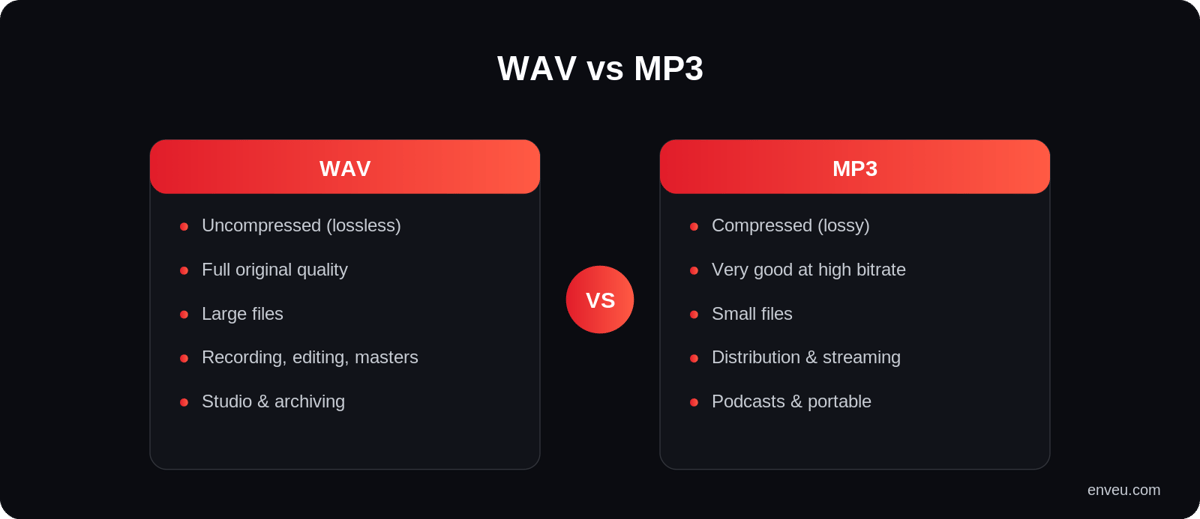
| Compression | Uncompressed (lossless) | Compressed (lossy) |
| Quality | Full original quality | Very good at high bitrate; data is discarded |
| File size | Large (tens of MB) | Small (a few MB) |
| Compatibility | Wide, but heavier | Near-universal |
| Metadata (tags) | Limited | Rich ID3 tags (artist, art, title) |
| Best for | Recording, editing, masters, archiving | Distribution, streaming, podcasts, portable |
Is WAV better than MP3?
On pure fidelity, yes — WAV is technically better, because it keeps 100% of the recording while MP3 permanently discards some of it. But "better" depends on the job. For capturing, editing and mastering, WAV wins hands down: you never want to edit lossy audio. For listening and distribution, a 256–320 kbps MP3 is so close to the original that most people can't tell them apart on normal equipment — and it's a tenth of the size. So WAV is better for production; MP3 is better for delivery. Neither is "the best" in every situation.
Can you actually hear the difference?
In most real-world listening — phone speakers, earbuds, a car, a laptop — a high-bitrate MP3 and a WAV are effectively indistinguishable. The gap only starts to show on good headphones or a hi-fi system, with critical listening, and even then mostly on complex, dynamic music rather than voice. Low-bitrate MP3s (128 kbps and below) are a different story: those can sound thin or "swirly" on cymbals and reverb tails. The takeaway: bitrate matters more than the format label. A well-encoded 320 kbps MP3 beats a carelessly made file every time.
Does 24-bit WAV really sound better than MP3? (bit depth & sample rate)
A common question is whether a 24-bit WAV beats a standard MP3 — and here two different specs get tangled. Bit depth (16-bit vs 24-bit) sets the dynamic range and noise floor of the recording; bitrate (kbps) sets how much the delivered file is compressed. A 24-bit WAV captures more headroom for mixing and mastering, which is why studios record at 24-bit. But once you're just listening, that extra bit depth is largely inaudible on consumer gear, and it's a separate thing from MP3's lossy compression. So a 24-bit WAV is genuinely better for production; for playback, a good 320 kbps MP3 (or AAC) is what most listeners will actually hear as "excellent". Match the spec to the job: 24-bit WAV to create and edit, compressed to deliver.
WAV vs MP3 file size (the numbers)
The size gap is the whole reason MP3 exists. Uncompressed CD-quality WAV runs about 10 MB per minute (roughly 600 MB for an hour). A 320 kbps MP3 of the same audio is about 2.4 MB per minute (~140 MB/hour); a 128 kbps MP3 is under 1 MB per minute. So MP3 is typically 5–10× smaller than WAV. Across a catalog of thousands of tracks, or millions of streams, that difference decides your storage and bandwidth bill — which is exactly why streaming services never ship raw WAV.
WAV vs MP3 vs FLAC vs AAC
WAV and MP3 are the two ends of a spectrum; two other formats sit in between and are worth knowing.
| Format | Type | Size | Best for |
|---|---|---|---|
| WAV | Uncompressed lossless | Largest | Recording, editing, masters |
| FLAC | Compressed lossless | Medium-large | Hi-fi / audiophile downloads |
| AAC | Lossy (efficient) | Small | Modern streaming (better than MP3 at same bitrate) |
| MP3 | Lossy (universal) | Small | Maximum compatibility, distribution |
FLAC gives you WAV-level quality at roughly half the size — ideal when you want lossless but not the bulk. AAC is the streaming default today because it sounds better than MP3 at the same bitrate. If you're weighing bitrate specifically, see our audio bitrate guide.
The audio-quality verdict: ranked purely on fidelity it's WAV = FLAC (both lossless, identical to the source) > high-bitrate AAC ≥ high-bitrate MP3 > low-bitrate MP3. But that ranking only matters at the top of the chain — capture and master in WAV/FLAC, and for delivery a 256–320 kbps AAC or MP3 gives listeners quality they can't distinguish from lossless, at a fraction of the size. Choose by role, not by the spec sheet.
Which should you use?
- Recording & editing — WAV. Work in lossless so every edit stays clean; export to MP3 or AAC only at the end.
- Distribution & streaming — MP3 or AAC. Small files stream fast and play everywhere.
- Podcasts — record in WAV, publish in MP3 at a sensible bitrate (voice compresses very efficiently).
- Hi-fi downloads — FLAC if you want lossless without WAV's full size.
- Archiving — keep a WAV (or FLAC) master; you can always make more MP3s from it, but never the reverse.
How to convert WAV to MP3 (and why not the reverse)
Converting WAV → MP3 is routine: any audio editor or free tool (Audacity, ffmpeg, iTunes) will export an MP3 at your chosen bitrate — pick 256 or 320 kbps for music, 96–128 kbps for voice. Converting MP3 → WAV, on the other hand, is mostly pointless: it makes the file large again but cannot restore the data the MP3 already threw away. You'd get a big file that still sounds like the MP3. The one time it's useful is technical — some editing or mastering tools need an uncompressed file to work on. Otherwise, the golden rule holds: master in WAV, deliver in MP3.
WAV vs MP3 for podcasts and streaming
For anyone publishing audio, the workflow is settled: capture and edit in WAV so your production stays clean, then export the final episode or track to a compressed format for delivery. Podcasts almost always ship as MP3 (universal support in every podcast app); music and video services increasingly use AAC for its efficiency. What you never do is stream raw WAV — the bandwidth cost is enormous and listeners gain nothing they can hear.
Delivering audio at the right format and quality
Running a music, podcast or audio service means storing high-quality masters, then delivering the right compressed format and bitrate to each listener and device automatically. On Enveu's audio streaming software you can launch a full audio or podcast platform with adaptive delivery, large-catalog handling and offline downloads — part of Experience Cloud. See also our guides to audio bitrate and what audio streaming is.