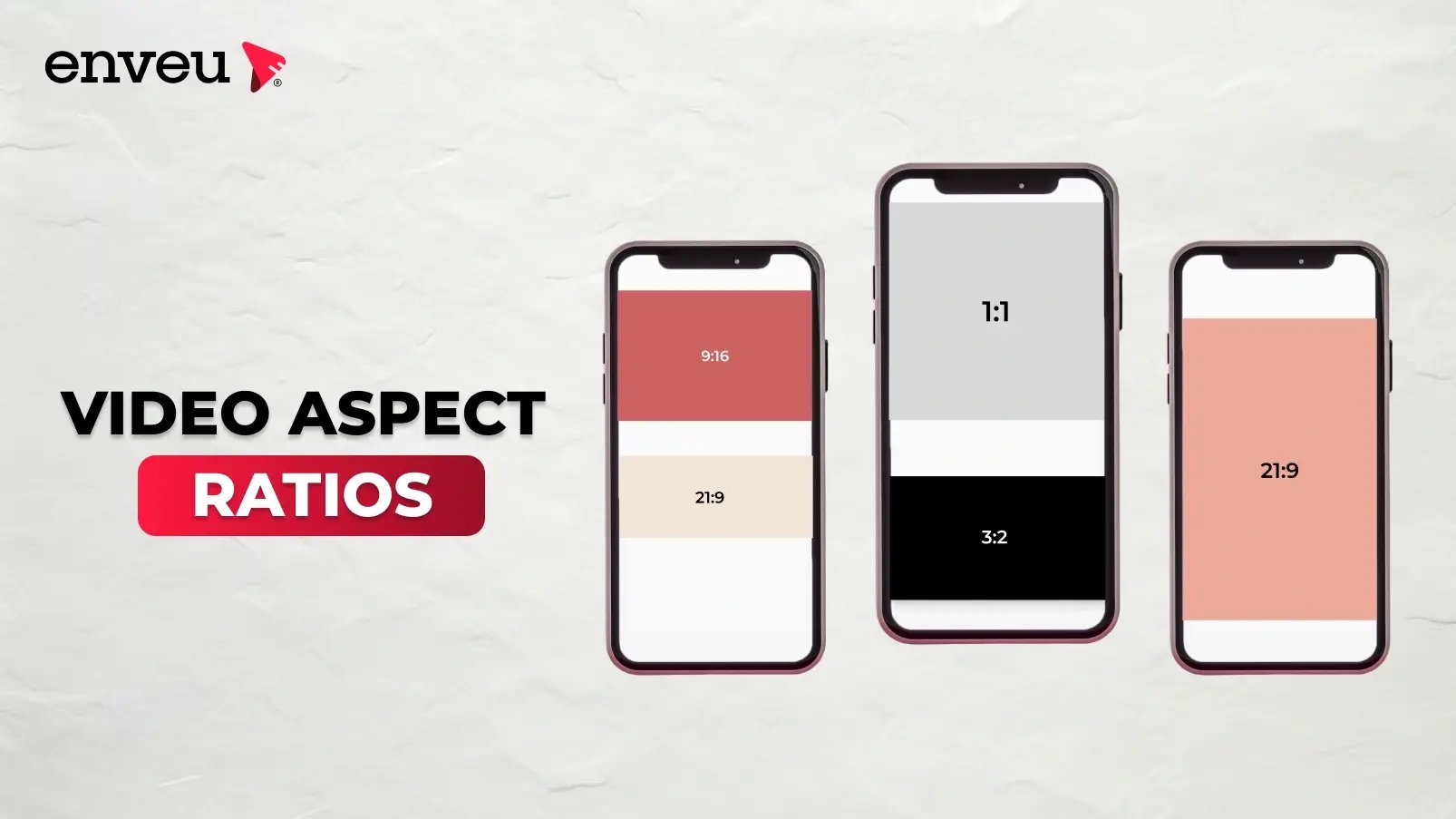
Video aspect ratio is the proportional relationship between a video's width and height, written as width:height — like 16:9. 16:9 is the standard for TV, YouTube and most screens; 9:16 is vertical for mobile, Reels, Shorts and TikTok; 1:1 is square for social feeds; 4:3 is the older TV standard; and 21:9 is cinematic widescreen. The right aspect ratio depends on where the video will be watched, because each platform and screen is built for a particular shape.
What is video aspect ratio?
Aspect ratio describes a video's shape — the ratio of its width to its height, independent of its actual pixel size. A 16:9 video is 16 units wide for every 9 tall, whether it's 1280×720 or 3840×2160. Get the aspect ratio wrong for a platform and you end up with black bars, cropping, or a stretched picture — which is why creators care so much about matching the ratio to the destination.
Common video aspect ratios
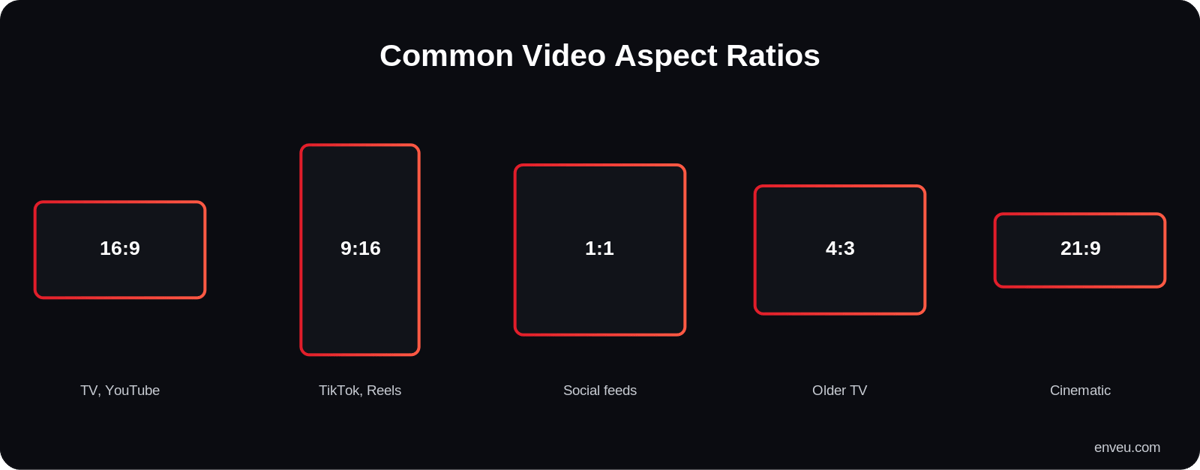
| Ratio | Shape | Best for |
|---|---|---|
| 16:9 | Widescreen (horizontal) | TV, YouTube, most players — the default |
| 9:16 | Vertical (portrait) | TikTok, Reels, Shorts, Stories, mobile |
| 1:1 | Square | Social feeds (Instagram, Facebook) |
| 4:3 | Standard (near-square) | Older TV/video, some presentations |
| 21:9 | Cinematic ultrawide | Film, dramatic widescreen |
What is the aspect ratio for YouTube videos?
YouTube's standard aspect ratio is 16:9 — it's what the player is built for, so a 16:9 upload fills the frame with no bars on desktop, TV or mobile landscape. Common 16:9 resolutions are 1920×1080 (1080p) and 3840×2160 (4K). If you upload a different shape, YouTube doesn't stretch it — it adds padding: a vertical video gets pillar-boxed (bars on the sides) on desktop, and a very wide video gets letterboxed (bars top and bottom). YouTube's player also adapts, so a vertical video shown on a phone can fill the screen while the same file is boxed on desktop.
What aspect ratio are YouTube Shorts?
YouTube Shorts use 9:16 vertical — the same portrait shape as TikTok and Reels, typically 1080×1920. That's the key split for a YouTube creator: 16:9 for regular long-form videos, 9:16 for Shorts. Shooting or exporting Shorts in 16:9 leaves big black bars and looks out of place in the Shorts feed, so vertical footage (or a vertical crop of a horizontal master) is what performs.
Aspect ratio by platform
| Platform / placement | Aspect ratio |
|---|---|
| YouTube (standard) | 16:9 |
| YouTube Shorts | 9:16 |
| TikTok | 9:16 |
| Instagram / Facebook Reels & Stories | 9:16 |
| Instagram feed | 1:1 or 4:5 |
| TV / smart-TV apps | 16:9 |
| Cinema / film | 21:9 (or 2.39:1) |
Why is 16:9 the standard?
16:9 became the standard because it matches how modern screens are built. When TV moved from the old boxy 4:3 to widescreen, 16:9 was chosen as a compromise close to how films are shot and how our field of view works — wide rather than tall. Today virtually every TV, monitor, laptop and phone (in landscape) is 16:9, and YouTube, streaming players and video calls default to it. So a 16:9 video fills the most screens with the fewest compromises, which is why it's the safe default for anything horizontal.
Why did vertical video (9:16) take over mobile?
Phones are held upright most of the time, so a full-screen 9:16 vertical video uses the entire display without the viewer having to rotate. TikTok, Reels and Shorts built their whole experience around that, and it turned out to convert and retain better on mobile than asking people to turn their phones. The result is a split world: horizontal 16:9 for TVs, desktops and long-form; vertical 9:16 for phones and short-form. Many creators now shoot with both in mind — a wider master they can crop vertically — so one shoot serves both feeds.
Cinematic and other aspect ratios
Beyond the everyday ratios, film uses wider frames for a more dramatic, "cinematic" look: 2.39:1 (ultra-wide anamorphic) and 1.85:1 are common theatrical ratios, often approximated as 21:9 on ultrawide monitors and TVs. That's why a movie on a 16:9 TV shows black bars top and bottom — the film is wider than the screen. Creators sometimes add letterbox bars deliberately to give footage a filmic feel. These are stylistic choices; for most online video you'll still deliver 16:9 or 9:16.
How to choose the right aspect ratio
Pick the ratio for the destination, not the camera. Publishing to YouTube or a TV app? Use 16:9. Making short-form for Shorts, TikTok, Reels or a short video app? Shoot and export 9:16. Posting to a social feed? 1:1 or 4:5 often takes up more screen and performs better. Targeting several placements from one shoot? Produce a 16:9 (or higher-res) master with the action framed centrally, then export vertical and square crops per platform.
A practical tip for repurposing: shoot a little wider and looser than you need, keeping the key subject near the centre. That way a 16:9 master can be cropped to 9:16 for Shorts and TikTok or to 1:1 for a feed without cutting off anything important. If you know a video is destined mainly for phones, though, shoot vertical from the start — cropping a horizontal clip to vertical always sacrifices some of the frame, and native vertical simply looks better in those feeds.
What happens if the aspect ratio is wrong?
Three things, none of them good. Letterboxing — black bars top and bottom when a wide video plays in a taller frame. Pillarboxing — bars on the sides when a vertical video plays in a wide frame. Cropping or stretching — if a platform force-fits the video, it either cuts off the edges or squashes the picture so faces look wrong. Matching the ratio up front avoids all three and makes the video look native to the feed it's in.
Aspect ratio vs resolution
Aspect ratio and resolution are related but different: aspect ratio is the shape, resolution is the pixel count. 1920×1080 and 3840×2160 are both 16:9 — same shape, different detail. Changing resolution keeps the shape; changing aspect ratio changes the frame itself (and may crop or letterbox). You can have a low-resolution 16:9 video or a high-resolution 9:16 one — the two specs are independent. For reference, the common 16:9 resolutions are 1280×720 (720p), 1920×1080 (1080p) and 3840×2160 (4K); the common 9:16 vertical sizes are 720×1280 and 1080×1920. Notice each pair keeps the same shape while multiplying the pixels — that's the difference between ratio and resolution in one line. A related spec is scan type — see progressive vs interlaced scan.
How to change a video's aspect ratio
Any video editor (or a tool like ffmpeg) can re-frame a clip: you either crop to the new shape (keeping the most important part of the frame) or pad it with bars/blur to fit without losing content. For turning a 16:9 video into a 9:16 Short, cropping to the subject usually looks best; for preserving the whole frame, padding is safer. Shooting with the final ratio in mind — leaving headroom for a vertical crop, for instance — beats fixing it later.
Delivering across aspect ratios
Modern audiences watch on everything from vertical phones to widescreen TVs, so serving the right shape matters. Enveu's Content Manager ingests and transcodes your video for delivery across devices, and Enveu's apps present it correctly on mobile, web and TV — including vertical experiences for short video. It's part of Experience Cloud; see also QHD vs 4K.