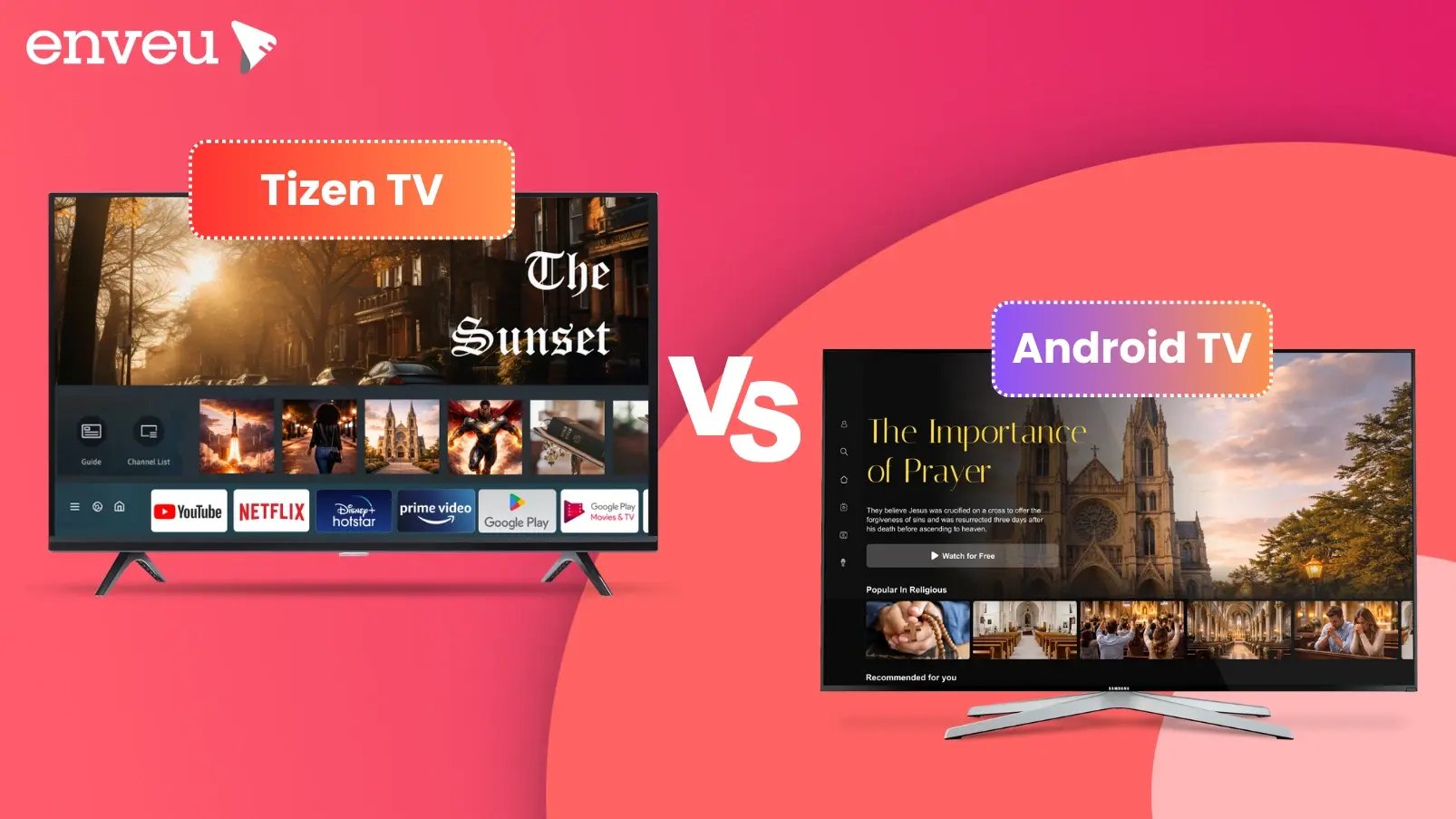
Tizen (Samsung), Android TV (Google) and webOS (LG) are the three main smart-TV operating systems. Android TV has the largest app ecosystem and is on many brands; Tizen and webOS are Samsung's and LG's own systems, fast and polished but each closed to its maker's TVs. A fourth contender, Hisense's VIDAA OS, has quietly climbed to become the world's number-two smart-TV platform. For viewers the difference is mostly the interface and available apps. For a streaming business it matters more: to reach every living room, you need an app on all three — plus Fire TV and Roku.
Tizen vs Android TV vs webOS at a glance
| Tizen | Android TV / Google TV | webOS | |
|---|---|---|---|
| Made by | Samsung | LG | |
| Found on | Samsung TVs | Many brands (Sony, TCL, etc.) + boxes | LG TVs |
| App ecosystem | Curated, smaller | Largest (Google Play) | Curated, smaller |
| Strengths | Fast, polished, tight Samsung integration | Huge app catalog, Assistant, Chromecast | Slick Magic Remote UI |
| Openness | Samsung-only | Open to many manufacturers | LG-only |
What is Tizen?
Tizen is Samsung's Linux-based smart-TV OS, powering Samsung Smart TVs. It's fast and well-integrated with Samsung's hardware and services, with a curated app store. Because it's exclusive to Samsung, developing a Tizen TV app targets Samsung's large installed base specifically.
What is Android TV (and Google TV)?
Android TV (and its newer interface, Google TV) is Google's platform. It's the most open of the three — used by many TV brands and streaming boxes — and has the largest app ecosystem via Google Play, plus Google Assistant and Chromecast built in. If you want breadth of devices from one platform, Android TV covers the most ground.
Tizen vs Google TV: what's the difference?
A lot of shoppers now search "Tizen vs Google TV" rather than "vs Android TV" — and the two are closely related. Google TV is the newer interface that runs on top of Android TV: same underlying Google platform and Google Play app catalog, but with a redesigned, content-forward home screen that pulls recommendations across your services. So "Tizen vs Google TV" is essentially the same comparison as "Tizen vs Android TV": Samsung's closed, fast, curated system versus Google's open, app-rich one that spans many brands.
The practical differences hold either way. Tizen gives you a snappy, tightly integrated Samsung experience with a smaller but well-curated app store. Google TV gives you the largest app ecosystem, Google Assistant, Chromecast built-in, and a discovery-focused UI — at the cost of being a little busier and more Google-centric. If you value speed and simplicity on a Samsung set, Tizen fits; if you want maximum apps and cross-service recommendations, Google TV (Android TV) leads.
Is a Samsung TV an Android TV?
No — Samsung Smart TVs run Tizen, not Android TV or Google TV. This is a common point of confusion: because Android TV is on so many brands (Sony, TCL, Hisense and more), people assume Samsung uses it too. Samsung is the big exception — it builds and ships its own Tizen OS on every Smart TV. LG is the other major holdout, using its own webOS. So if you own a Samsung, you're on Tizen; if you own most other brands, you're likely on Android TV / Google TV; and if you own an LG, you're on webOS.
What is a Tizen smart TV?
A Tizen smart TV is simply a Samsung Smart TV — "Tizen" is the name of the operating system inside it. When people ask "what is a Tizen TV," they're asking about the software that powers Samsung's on-screen apps, home menu, settings and app store. It's a Linux-based OS Samsung has used across its TVs for years, known for booting fast and running smoothly. You don't buy "a Tizen TV" separately — you buy a Samsung TV, and Tizen is what runs on it, the same way iOS runs on an iPhone.
What is webOS?
webOS is LG's smart-TV OS, known for its slick interface and the Magic Remote's point-and-click navigation. Like Tizen, it's exclusive to its maker's TVs (LG) and has a curated app store. "webOS vs Android TV" really comes down to LG's closed, polished experience versus Google's open, app-rich one.
Tizen vs a "smart TV": are they the same?
People often search "Tizen vs smart TV," but they're not competing things — Tizen is what makes a Samsung TV smart. A "smart TV" is any television with an operating system and apps built in; Tizen, Android TV/Google TV and webOS are three of the operating systems that do that job. So the real comparison isn't "Tizen or smart TV," it's "which smart-TV OS" — Tizen (Samsung), Android TV/Google TV (many brands), or webOS (LG). All three make a TV "smart"; they just differ in interface, app store and how open they are.
App stores and features compared
The biggest day-to-day difference is the app ecosystem. Android TV / Google TV draws on Google Play, giving it by far the largest catalog — useful if you want niche or regional apps beyond the big names. Tizen and webOS run curated stores that cover all the major services (Netflix, YouTube, Prime Video, Disney+ and so on) but carry fewer long-tail apps. On features, Android TV leans on Google Assistant and Chromecast built-in; Tizen integrates with Samsung's SmartThings and Bixby and its universal guide; webOS is known for the point-and-click Magic Remote. For streaming the majors, all three are equivalent; the differences show up at the edges — app breadth, voice assistant and smart-home ties. If you're weighing LG specifically, see our webOS vs Android TV comparison.
Which should you choose — or build for?
As a viewer, you don't usually choose the OS — it comes with the TV brand you buy; all three run the major streaming apps. As a content owner, the answer is different: your audience is spread across Samsung, LG, Android TV brands, Fire TV and Roku, so you need an app on all of them. Building each natively — in different languages and toolkits, with separate store submissions and update cycles — is slow and expensive, and it only gets harder as you add Fire TV, Roku, mobile and web on top.
Which smart-TV OS is best?
There's no single winner — it depends on what you value. For the most apps and openness, Android TV / Google TV leads, since it's on the widest range of devices and taps Google Play. For a fast, polished, tightly integrated experience, Tizen (Samsung) and webOS (LG) are excellent, if closed to their own hardware. All three run every major streaming service, so for most viewers the deciding factor is simply which TV brand they like — you inherit the OS with the set. If app breadth and Google's ecosystem matter most, choose an Android TV/Google TV brand; if you prefer Samsung or LG hardware and a slick, curated interface, Tizen or webOS won't hold you back for mainstream streaming. The differences are real but rarely dealbreakers at the level of watching the big apps.
Reach every TV OS with one platform
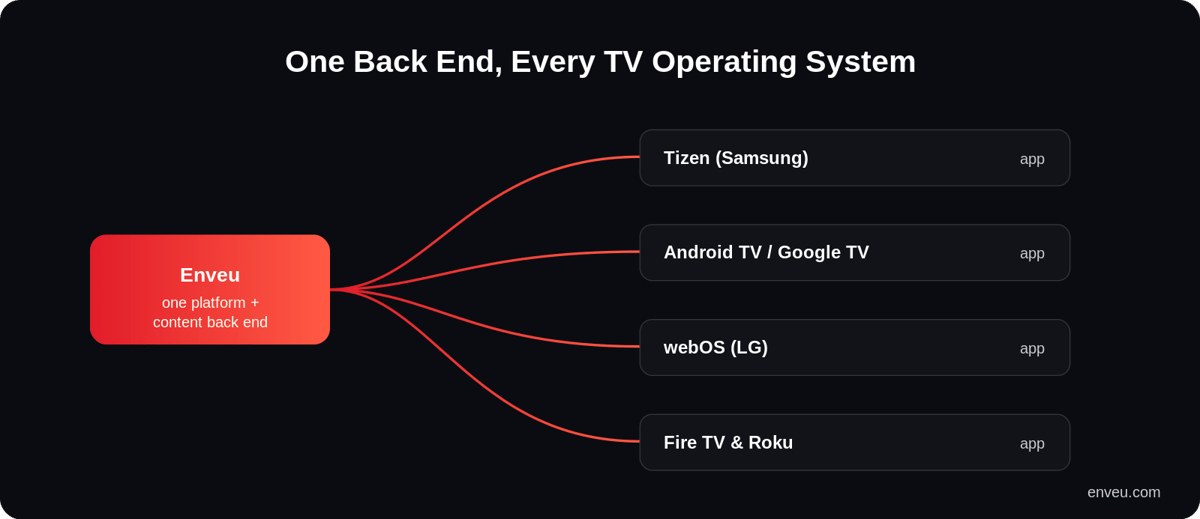
Enveu's apps ship your branded app to Tizen, Android TV, webOS, Fire TV and Roku (plus mobile and web) from a single back end — content managed in the Content Manager and monetized with SVOD/AVOD/TVOD/hybrid. So you cover every living room without building five native apps. Comparing specific devices? See Apple TV vs Fire TV Stick and the OTT TV box guide.