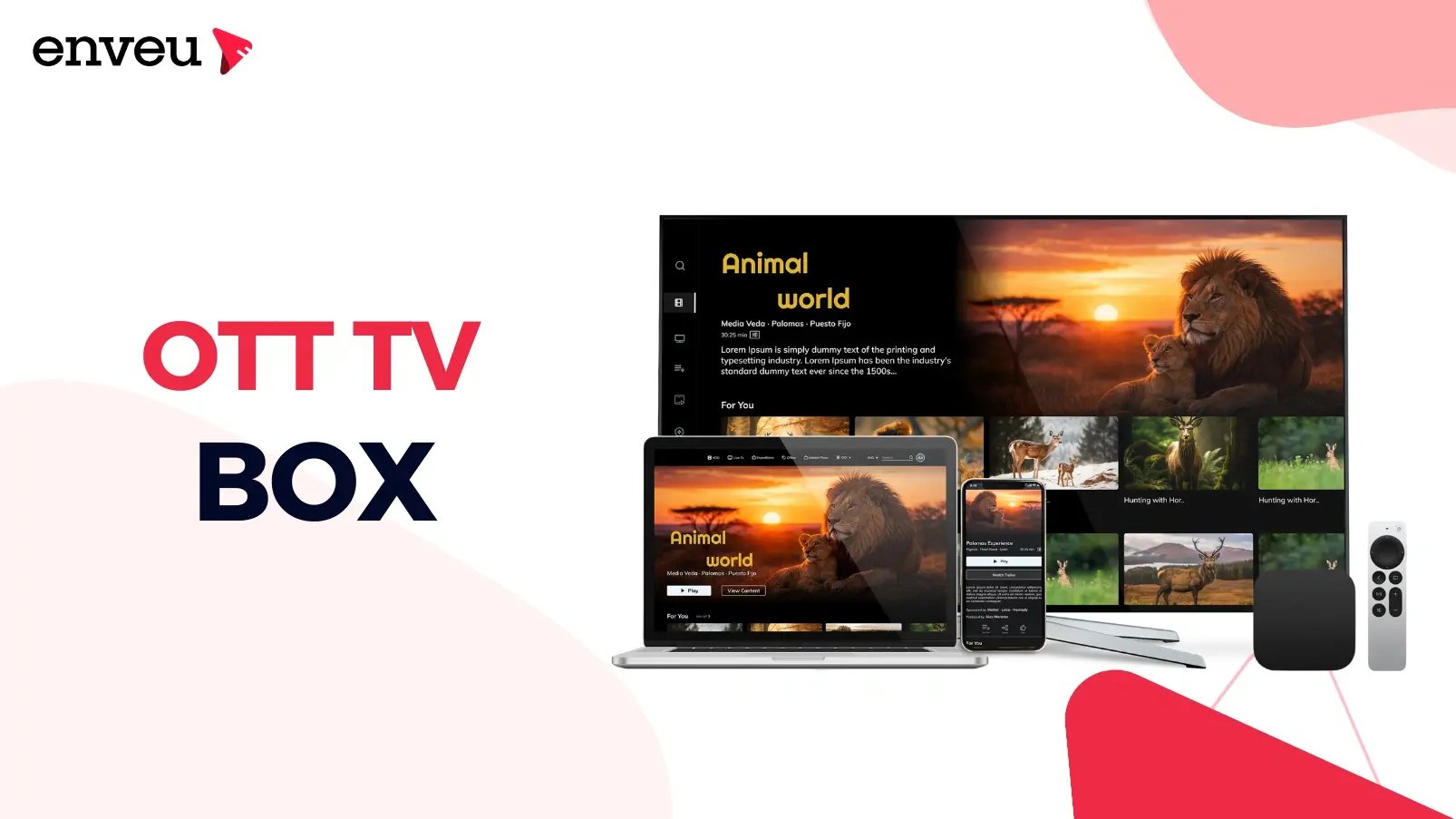
An OTT TV box is a small device that plugs into your television and streams internet video through apps — turning any TV into a smart TV. "OTT" means over-the-top: video delivered over the open internet rather than cable or satellite. Popular examples include Apple TV, Amazon Fire TV, Roku and Android TV boxes — though many modern TVs now run a smart-TV system built in, like Samsung's Tizen or Hisense's VIDAA OS. It differs from a streaming stick mainly in power and ports, and from an IPTV set-top box in that it runs apps over the public internet.
What is an OTT TV box?
An OTT TV box (or OTT box) is a compact streaming device that connects to your TV's HDMI port and to the internet, then runs streaming apps — so you can watch on-demand and live services on a TV that isn't "smart" on its own. Because it delivers video over-the-top of the open internet, it doesn't need a cable or satellite subscription. Plug it in, connect Wi-Fi, sign into your apps, and an ordinary TV becomes a full streaming device.
What does "OTT" mean, and what is OTT TV?
OTT stands for "over-the-top." It describes any video delivered directly over the internet, bypassing (going "over the top" of) traditional cable and satellite operators. OTT TV, then, is simply television watched this way — streaming services like Netflix, YouTube, Prime Video and thousands of niche apps, delivered over your broadband instead of an aerial or a cable line. An OTT TV box is the hardware that brings that OTT TV experience to your big screen. So the chain is straightforward: OTT = the delivery method, OTT TV = television over that method, OTT box = the device that plays it on your TV.
What is an OTT device?
An OTT device is any hardware that can receive and play OTT (internet) video — the OTT TV box is one type, but the category is broader. It includes streaming boxes (Apple TV, Nvidia Shield), streaming sticks (Fire TV Stick, Roku Stick, Chromecast), smart TVs with built-in apps, games consoles, and even phones and tablets — the many devices a modern OTT service must reach. Anything that pulls streaming apps over the internet and plays them is an OTT device. When people search "OTT streaming devices," they usually mean the living-room kind: boxes and sticks that put streaming apps on a television. Many now also run OTT aggregator apps that combine several services in one place.
How does an OTT TV box work?
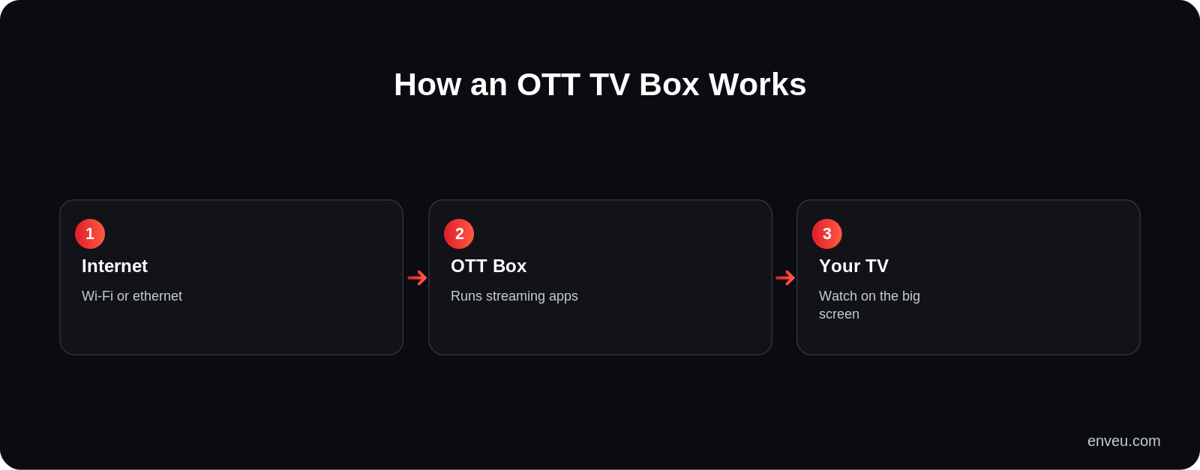
- Connect — the box plugs into the TV (HDMI) and joins your Wi-Fi or ethernet.
- Run apps — you install streaming apps on the box, just like on a phone, and sign in to your services.
- Request video — when you press play, the box requests the stream from the service over the internet.
- Decode & display — it decodes the incoming video and shows it on the TV, adapting quality to your connection so it plays smoothly.
Under the hood it's a tiny computer: a processor, storage for apps, a network connection and a video decoder, running a TV operating system (tvOS, Fire OS, Roku OS or Android TV). That's the whole job — fetch internet video and paint it on the screen, with a remote to drive it. On the operator's side, the channels it plays are increasingly assembled and delivered via cloud TV infrastructure.
OTT box vs streaming stick vs smart TV
| What it is | Best for | |
|---|---|---|
| OTT TV box | Set-top device with more power/ports | Performance, ethernet, extra storage |
| Streaming stick | Compact HDMI dongle | Portability and value |
| Smart TV | Apps built into the TV | No extra device, if the TV's apps are enough |
| IPTV set-top box | Operator box over a managed network | Traditional pay-TV packages, not open apps |
The practical difference between a box and a stick is horsepower: boxes tend to have faster chips, an ethernet port and more storage, so they handle 4K, big app libraries and gaming better; sticks are cheaper and travel well. A smart TV bakes the same apps into the screen, but its apps often age faster than a cheap box you can replace.
Types of OTT TV boxes and devices
The best-known OTT boxes and devices are Apple TV (premium, powerful, Apple ecosystem), Amazon Fire TV (great value, Alexa, Amazon ecosystem), Roku (simple, neutral, huge app catalog), Nvidia Shield (high-end Android TV, gaming) and various Android TV boxes (flexible, open, wide price range). They differ mainly in ecosystem, app availability, performance and price — but all do the same core job of running streaming apps on your TV. Deciding between two of the big ones? See our Apple TV vs Fire TV Stick comparison, and for the smart-TV operating systems behind many boxes and TVs, Tizen vs Android TV.
How to set up an OTT TV box
- Plug in — connect the box to a spare HDMI port and to power.
- Select the input — switch your TV to that HDMI source.
- Connect the internet — join Wi-Fi (or plug in ethernet for the steadiest 4K).
- Sign in — log into the device account, then install and log into your streaming apps.
- Start watching — apps appear on the home screen; open one and play.
The whole process usually takes a few minutes, and a wired ethernet connection is worth it if you stream a lot of 4K or your Wi-Fi is weak near the TV.
Benefits of an OTT TV box
An OTT box makes any TV smart without replacing it, keeps its interface and apps fresh (a cheap box updates faster than a years-old smart-TV platform), gives you a single home for all your streaming services — from entertainment to education — and often adds features like 4K HDR, voice search and casting. For anyone with an older or "dumb" TV — or a smart TV whose apps have grown sluggish — it's the cheapest way to a modern streaming experience.
Do you need an OTT box if you already have a smart TV?
Not strictly — a smart TV already runs streaming apps, so if it has the apps you want and still feels fast, you don't need a box. But there are good reasons people add one anyway. Smart-TV platforms tend to age faster than the TV itself: after a few years the interface slows, apps stop updating, and some newer services never arrive. A cheap OTT box refreshes the whole experience for a fraction of the cost of a new TV, adds apps your set may lack, and is easy to replace when it gets old. So the rule of thumb is: keep using the smart TV while its apps are fast and complete; add an OTT box when it starts to lag, misses an app you need, or you want features like better 4K HDR or voice search.
OTT TV box vs IPTV box
They look similar but work differently. An OTT TV box streams apps over the open internet — any broadband works, and you choose your own services. An IPTV set-top box delivers TV channels over a provider's managed network, usually as part of a pay-TV package, with the operator controlling what's on it. OTT is app-first and service-agnostic; IPTV is channel-first and operator-controlled. Most modern living rooms are moving toward the OTT model, because it puts the viewer — not a single provider — in charge of what they watch. For the wider distinction, see what OTT means in broadcasting. Boxes that carry live and FAST channels also show an on-screen guide — see what an EPG is.
For content owners: reach OTT TV boxes with your app
If you run a streaming service, OTT TV boxes (part of the IPTV vs OTT shift) are a key surface — they put your catalog on the living-room TV, where watch-time is highest. The challenge is building and maintaining a separate app for each platform (Apple TV, Fire TV, Roku, Android TV), each with its own store, SDK and rules. Enveu's apps ship your branded app to all of them from one back end, with content managed in the Content Manager and monetization (SVOD/AVOD/TVOD/hybrid) built in. See also how to build your own Fire TV app. It's all part of Experience Cloud.